 SkinCare AI
AI skin scanner and skincare routine app — scan, understand, stay consistent.
One calm selfie shows hydration, oil and redness with clear next steps. AM/PM checklists with reminders help you build a skincare habit that sticks.
Wellness guidance, not a medical diagnosis. For skin concerns, consult a dermatologist.
How it works
Three steps. One clearer routine.
Scan your face, know your shelf, complete today's plan.
- 01
Scan your face.
One calm selfie for hydration, oil and redness. You get a plain condition label, simple next steps and a result you can revisit — wellness tips, not a medical diagnosis.
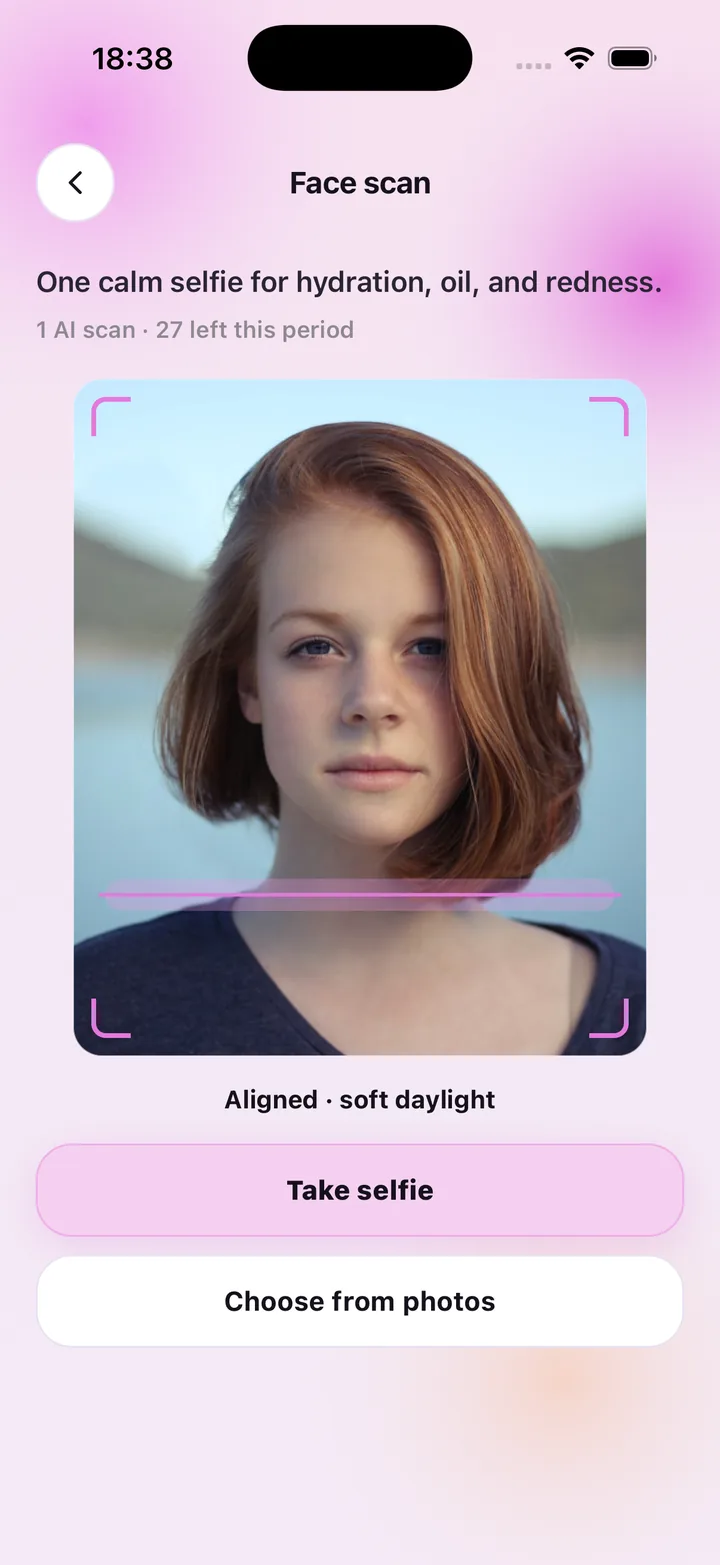
Face scan · 1 AI scan
- 02
Know what is on the bottle.
Point the camera at product packaging to pull the ingredients into your personal shelf, and get suggestions matched to your latest scan.
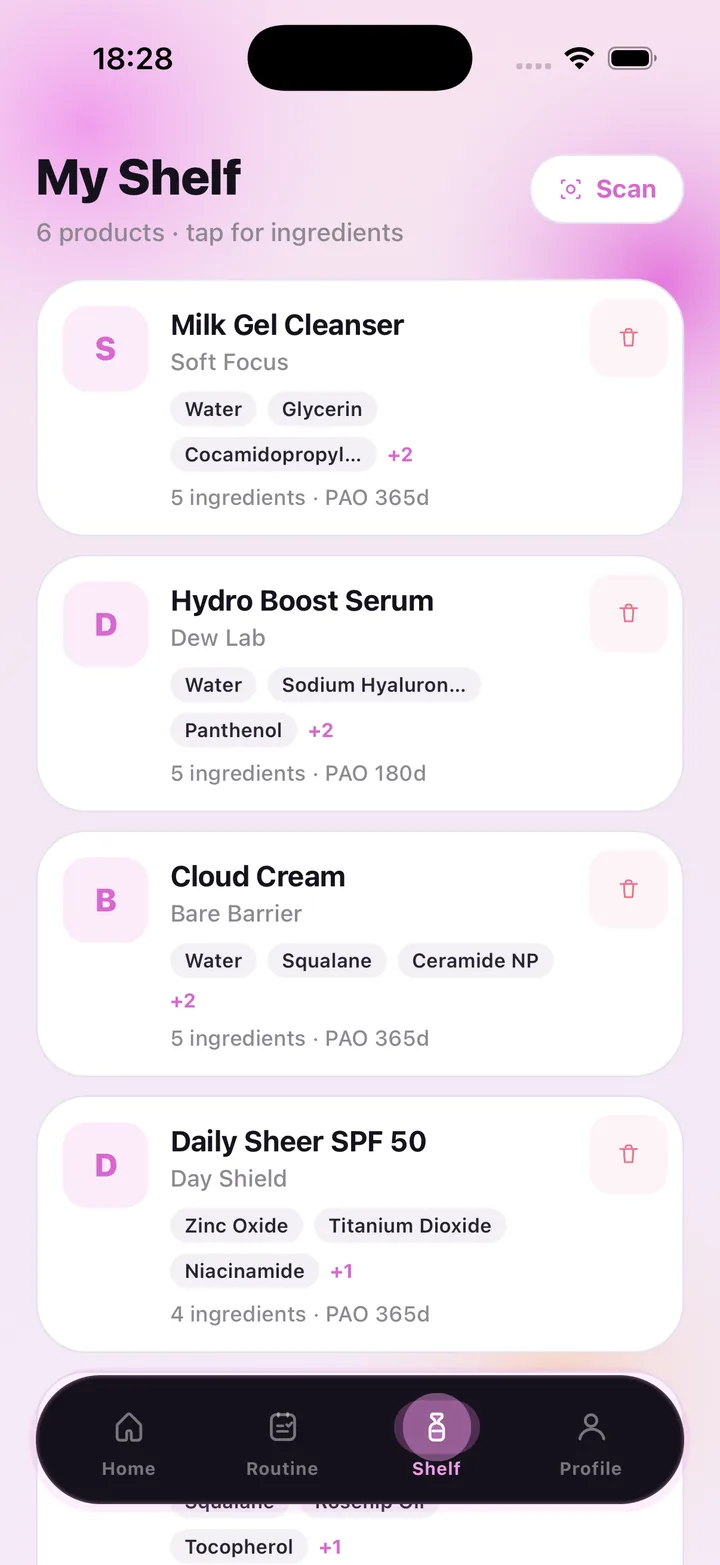
Shelf · ingredients
- 03
Build an AM/PM habit.
Morning and evening checklists with reminders at the times you choose. Check off steps in seconds — logging your routine never costs a scan.
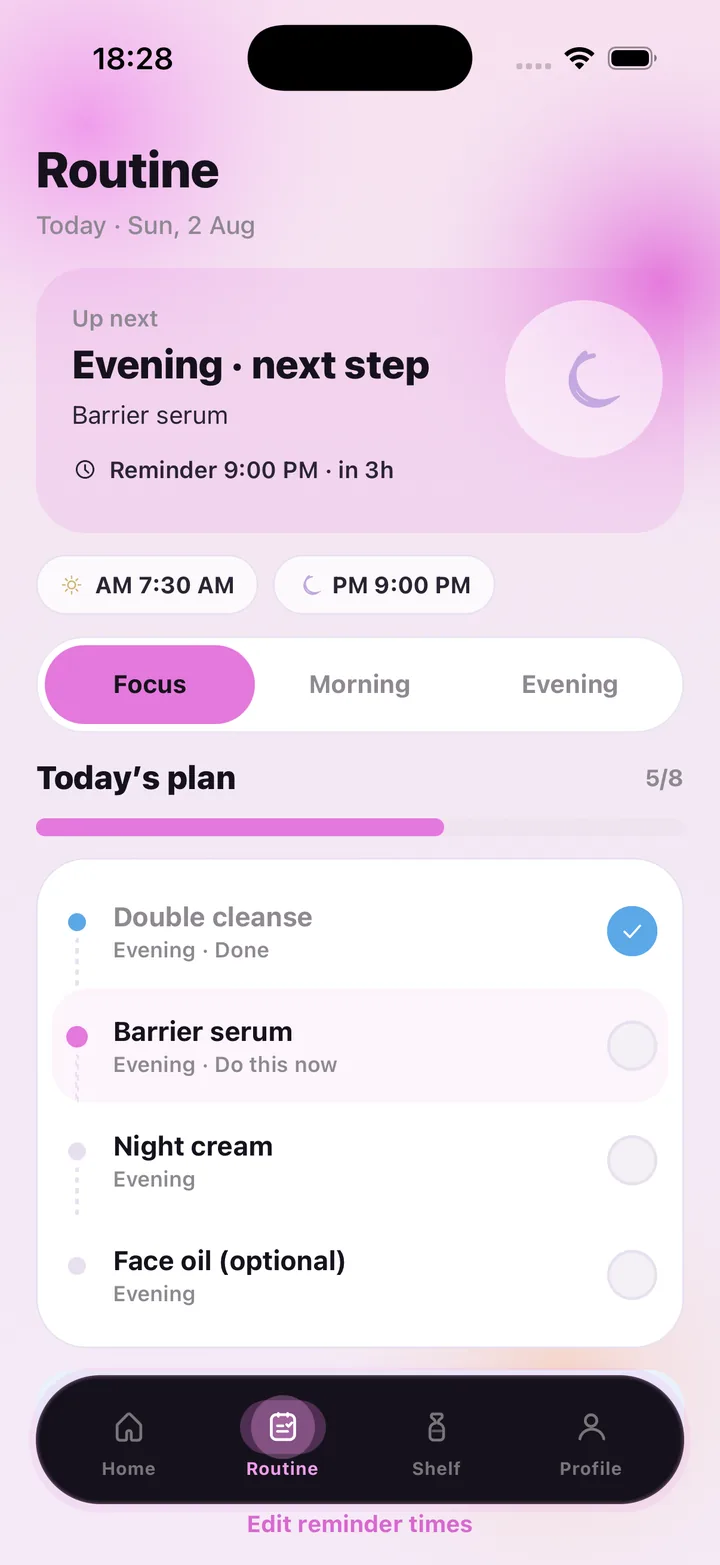
Routine · reminders
Skin status
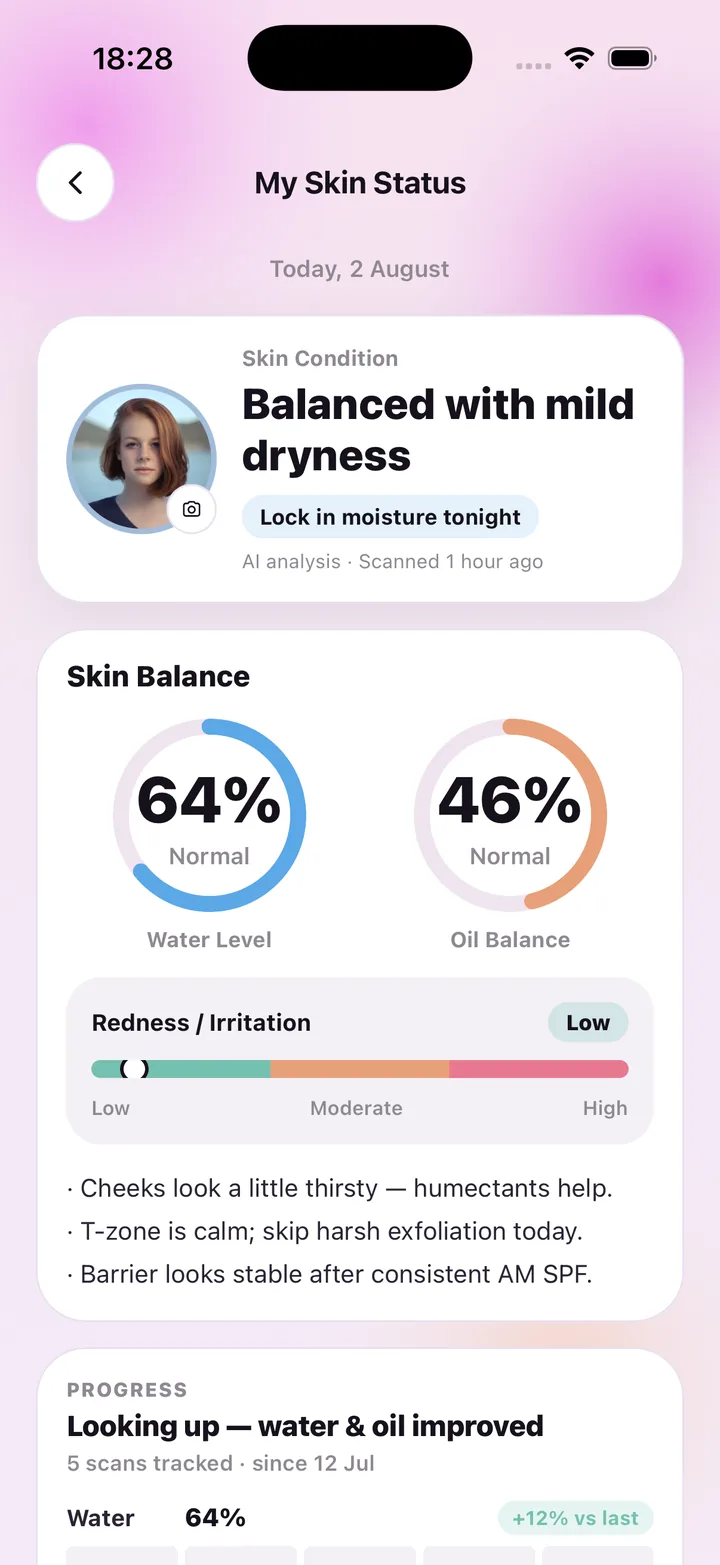
See your skin balance at a glance.
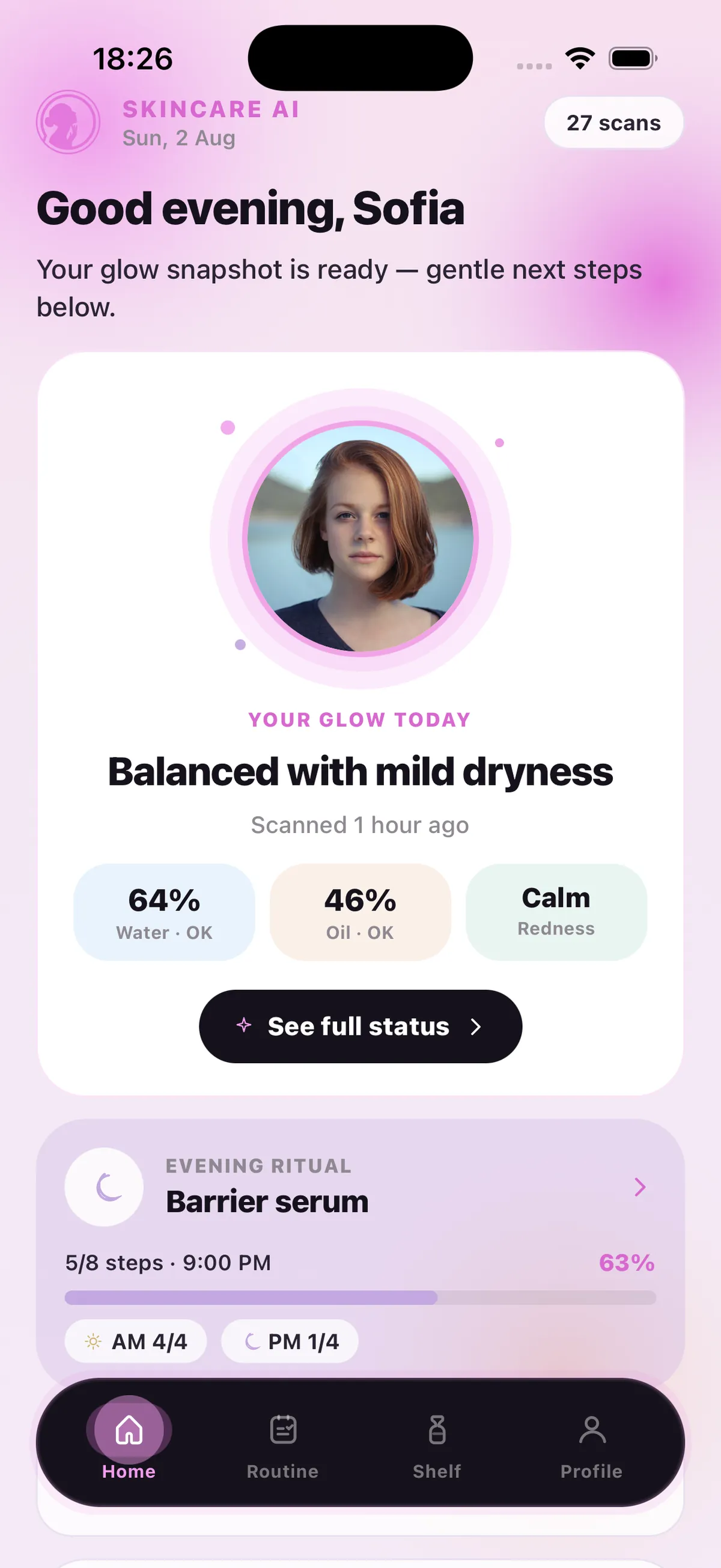
Water level, oil balance and redness in one calm status view, with a plain condition label and the next step — then straight into today's plan.
Inside the app
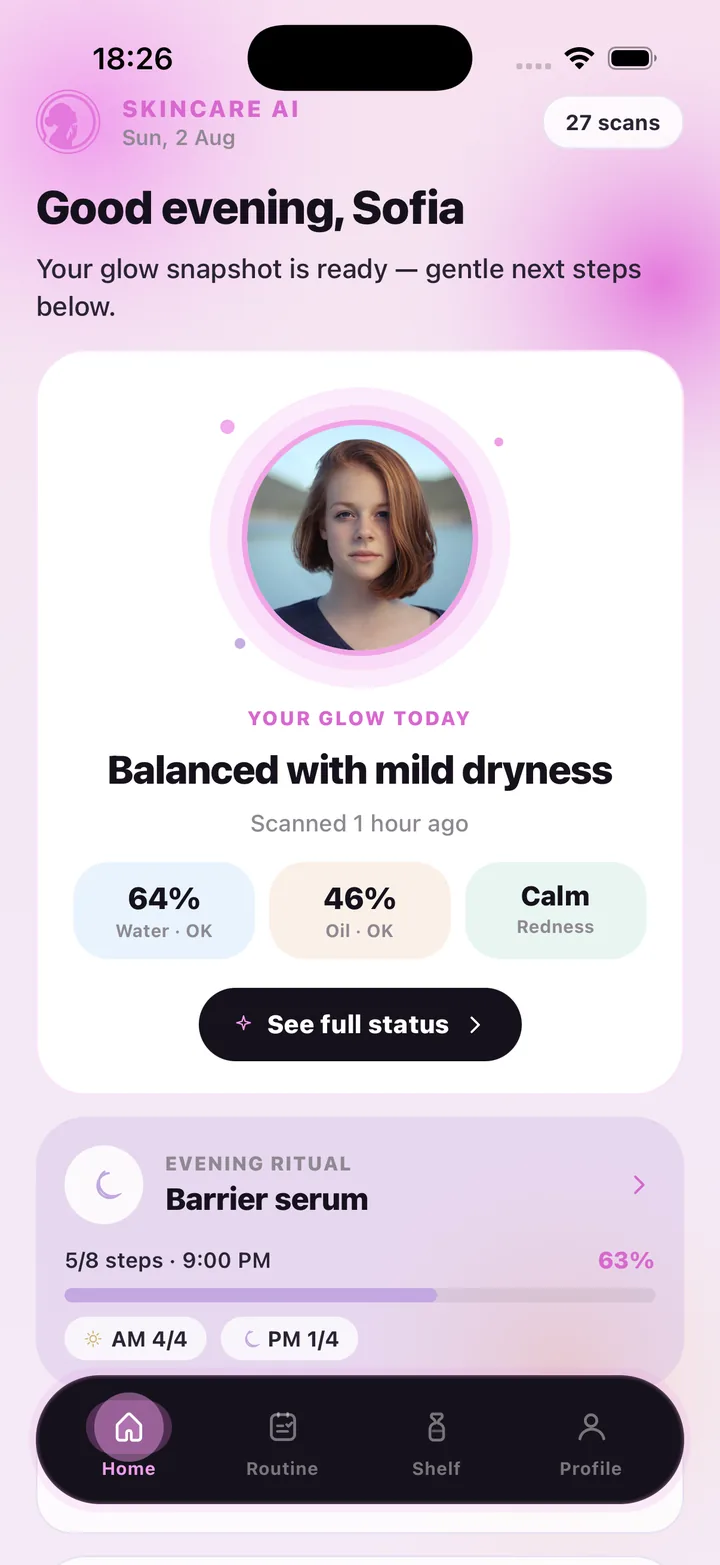
A skin scanner, product shelf and routine tracker in one.
Scan. Understand. Stay consistent.
AI face scan
Water, oil and redness from a single selfie, with a short condition label and gentle tips. Scan again to compare.
Skin status
Water level and oil balance dials, a redness scale and the notes behind them, all on one calm screen.
Product shelf
Scan packaging to capture ingredients. Each product keeps its ingredient tags and period-after-opening days.
AM/PM routine
A morning and an evening checklist with your own steps, reminder times and a running count of what is done.
Progress over time
Every scan adds to your history so you can see how water, oil and redness move week to week.
Your photos, your call
Delete every scan photo from Settings at any time, or delete your whole account. No faceprints, no ads.
In the app
Face scan, status, shelf, routine.
Popular uses
One selfie, many reasons.
How people use SkinCare AI — from AI skin analysis to a skincare routine that finally sticks.
Learn the basics
A clearer routine starts with useful answers.
Explore practical guides to skincare, adult acne, ingredients, and keeping a useful record of your skin.
Plans
Subscribe for AI scans.
AI face and product scans require a subscription and each use one scan. Routine check-offs, reminders and your shelf never cost a scan. Restore purchases anytime.
FAQ
Questions about the AI skin scan, answered.
What is SkinCare AI: Skin Scanner?
It is a skincare app for iPhone that turns one selfie into simple next steps for hydration, oil and redness, lets you scan product packaging into a personal shelf, and keeps you consistent with morning and evening checklists and reminders.
Is the AI skin scan a medical diagnosis?
No. SkinCare AI gives general skincare wellness guidance only. The scan describes how your skin looks in the photo — water, oil, redness — and suggests gentle next steps. It does not diagnose, treat or prevent any condition. If you have a skin concern, see a dermatologist or another qualified professional.
How does the AI skin analysis work?
You take a calm selfie in soft daylight or pick one from your library. The photo is sent securely to our AI processor, which returns a structured description: a water level, an oil balance, a redness scale, a short condition label and tips. The result is saved to your account so you can compare it with later scans.
Do routine check-offs use up my scans?
No. Only AI face scans and product packaging scans count toward your plan. Checking off routine steps, editing reminder times, browsing your shelf and viewing past results are always included.
How much does it cost?
AI scans require a subscription: Weekly at $4.99 with 7 scans, Monthly at $9.99 with 30 scans, or Monthly Pro at $29.99 with 100 scans per period. Plans are billed through the App Store and you can restore purchases at any time.
What happens to my face photos?
Your photo is used once, at your request, to produce the reading, then kept with your account so you can revisit it. We do not create faceprints or biometric templates, never use photos for advertising or model training, and you can delete all scan photos from Settings, or your whole account, at any time.
Can I track my skin over time?
Yes. Each scan is added to your history, so My Skin Status shows how water, oil and redness compare with your last scan and how many scans you have tracked since you started.
SkinCare AI provides general skincare wellness guidance only. Skin scan results are not a medical diagnosis and the app does not treat or prevent any condition. If you have a skin concern, consult a dermatologist or another qualified professional.