
What gets tracked
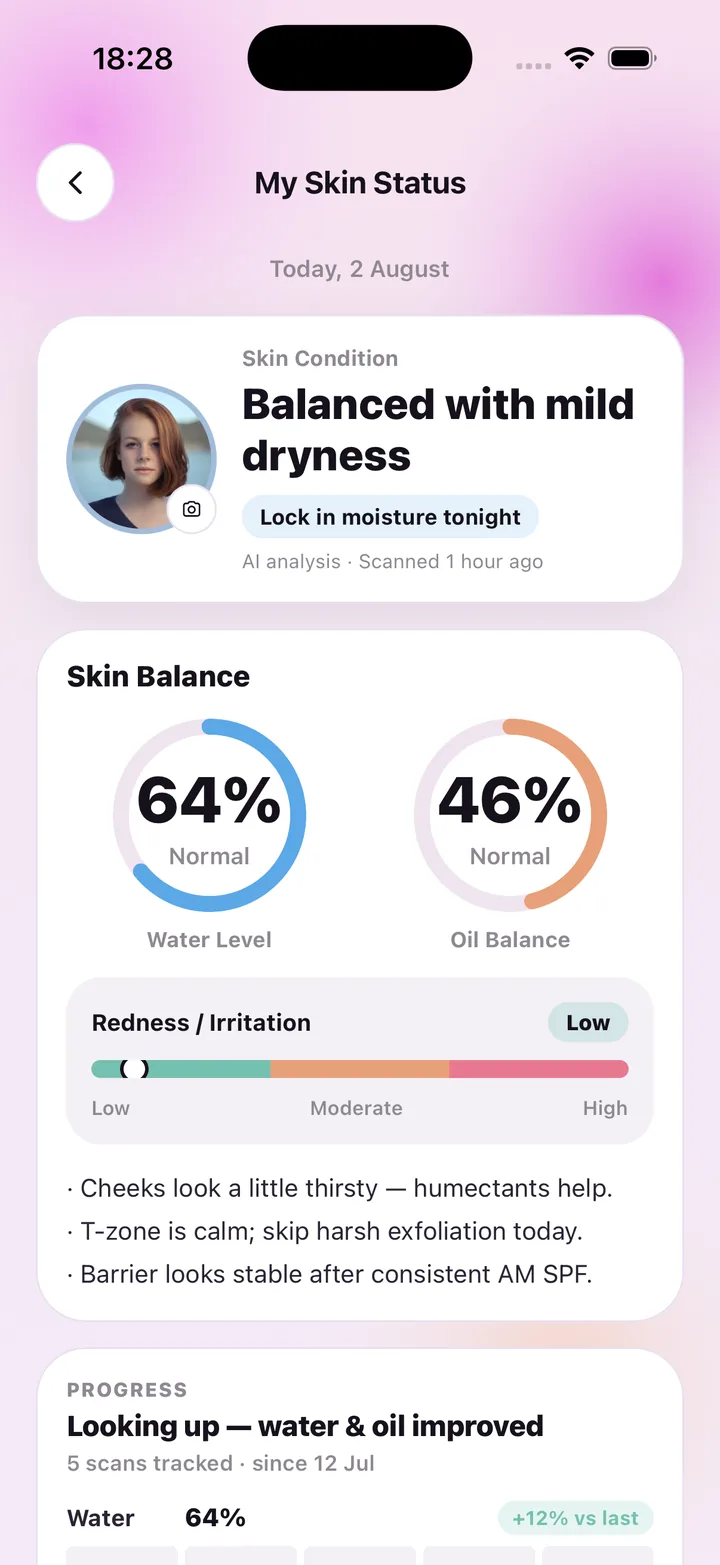
Each face scan produces three readings — a water level, an oil balance and a redness scale — and a plain condition label. All of them are stored with the date. The Progress panel on My Skin Status then reads them back as a story: "Looking up — water & oil improved", how many scans you have tracked and since when, and each reading with its change versus the last scan, such as "Water 64% · +12% vs last".
How to get comparable scans
Progress is only meaningful when scans are taken the same way. The scan screen helps: framing guides, an alignment hint and a nudge toward soft daylight. Scan at the same time of day, facing the same window, and the readings become far more comparable week to week.
- Water, oil and redness saved with every scan
- Change versus your last scan for each reading
- Scan count and start date ("5 scans tracked · since 12 Jul")
- A one-line summary of the direction of travel
- Old results reopen without using a scan
Progress alongside your routine
Tracking works best next to the thing being tracked. Your routine check-offs and day streak sit on the same home screen as your latest readings, so you can see whether a consistent fortnight lines up with a better water number. The app does not claim cause and effect — it just puts the two side by side.
Every reading is general skincare wellness guidance, not a medical diagnosis. SkinCare AI does not identify, treat or prevent any condition; if something on your skin worries you, see a dermatologist.
Your history, your control
All scan photos and readings can be deleted at once from Settings → AI & photo data, and deleting your account removes everything, including from backups within 30 days. History is there to help you, not to lock you in.
Frequently asked questions
How many scans do I need before I see progress?
The comparison appears from your second scan. A weekly rhythm for a month gives a clearer picture, and any plan covers that: Weekly includes 7 scans, Monthly 30, Monthly Pro 100.
Can I see before-and-after photos?
Each result keeps the selfie it was made from, so you can revisit earlier scans. The progress panel focuses on the readings rather than a side-by-side photo view.
Does the tracker tell me if a product works?
It shows how your readings changed over time; it does not attribute change to a product or make medical claims. Use it as one input alongside your own judgment.
Is the progress data shared with anyone?
No. Readings are stored in our database for your account only and are never sold or shared for advertising.
SkinCare AI provides general skincare wellness guidance only. Skin scan results are not a medical diagnosis and the app does not treat or prevent any condition. If you have a skin concern, consult a dermatologist or another qualified professional.