
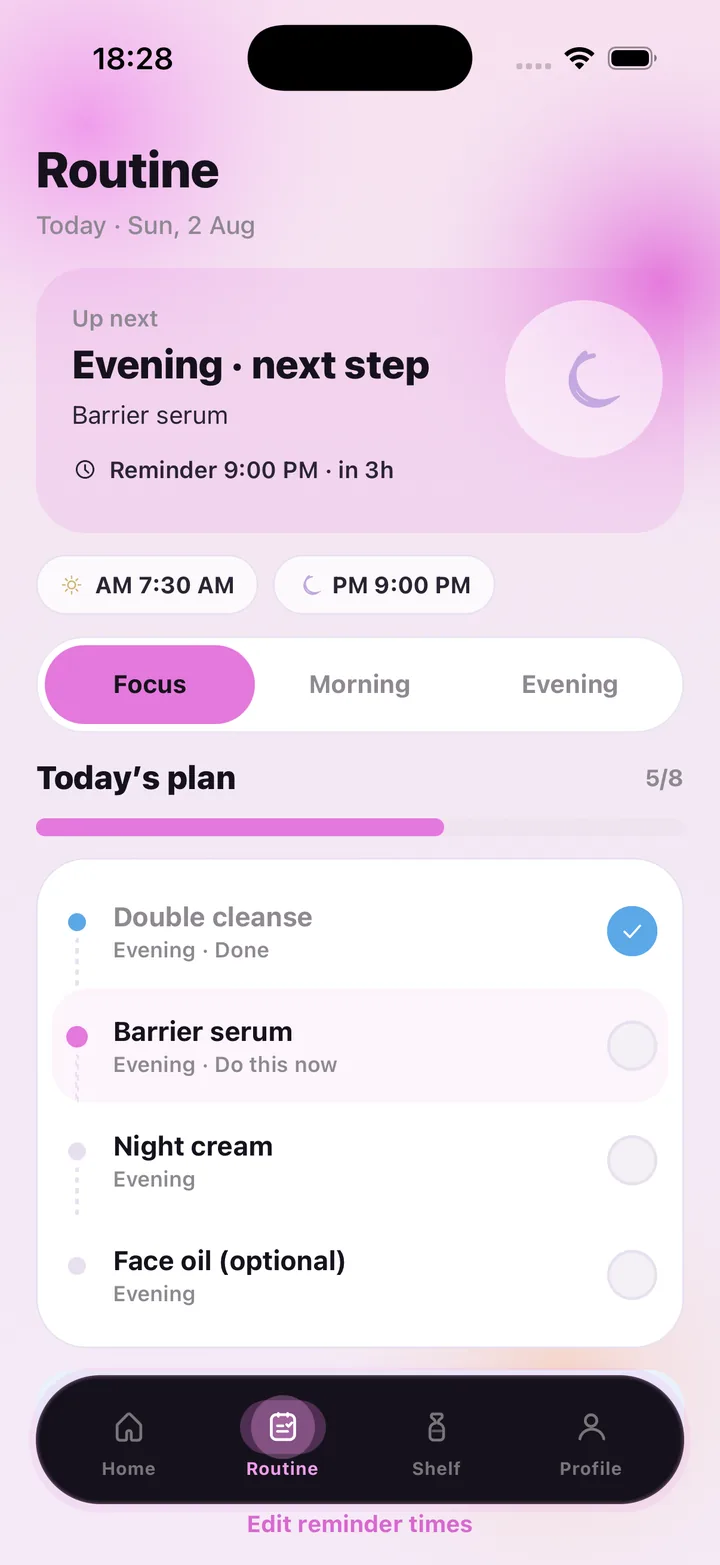
Two reminders, your times
You set a morning time and an evening time — say 7:30 AM and 9:00 PM — and the app sends a local notification at each. Both times are shown at the top of the Routine tab and can be changed with "Edit reminder times" whenever your schedule shifts. There is no schedule to program and nothing to re-create each week.
What the reminder opens onto
Tap the reminder and you land on "Up next": the ritual, its next step and a countdown — "Evening · next step · Barrier serum · in 3h". Below is Today's plan with each step and its state, so the reminder turns into a two-minute checklist rather than a vague intention.
Because the routine and your scans live in the same app, the notes from your latest face scan sit next to the plan. A reminder to do your evening routine can arrive on a night when the note says "lock in moisture tonight".
- One AM and one PM local reminder at times you choose
- Reminder leads straight to the next step and today's checklist
- Steps marked Done or Do this now, with a progress bar
- Optional steps that will not break your streak if skipped
- Reminders and check-offs never use an AI scan
Gentle by design
Skincare reminders work when they are calm. There is no guilt copy and no barrage — two notifications a day and a day streak on the home screen that recognises consistency without punishing a missed evening. The tone of the app is soft on purpose, because a routine you resent is a routine you drop.
Every reading is general skincare wellness guidance, not a medical diagnosis. SkinCare AI does not identify, treat or prevent any condition; if something on your skin worries you, see a dermatologist.
Included with every plan
Reminders, routines and the shelf come with any subscription; the plan only meters AI scans — Weekly $4.99 with 7, Monthly $9.99 with 30, Monthly Pro $29.99 with 100 per period.
Frequently asked questions
Can I set different reminder times on weekends?
Reminder times are a single morning and a single evening time. You can edit them at any moment from the Routine tab.
Do reminders need an internet connection?
No. They are local notifications scheduled on your phone.
What if I miss an evening?
The step simply stays unchecked for that day. The next reminder arrives as usual and the home screen shows your week at a glance.
Is there a free version?
The app requires a subscription; there is no free tier into the main app. Weekly at $4.99 is the lightest way to try it, and you can restore purchases at any time.
SkinCare AI provides general skincare wellness guidance only. Skin scan results are not a medical diagnosis and the app does not treat or prevent any condition. If you have a skin concern, consult a dermatologist or another qualified professional.