
What a notes app and alarms do well
They are free, already installed and completely flexible. You can write your routine any way you like, add a product name in seconds, and an alarm at 9 PM is as reliable as anything. For someone with a stable three-step routine and no interest in tracking, this works and there is no reason to change.
Where it stops
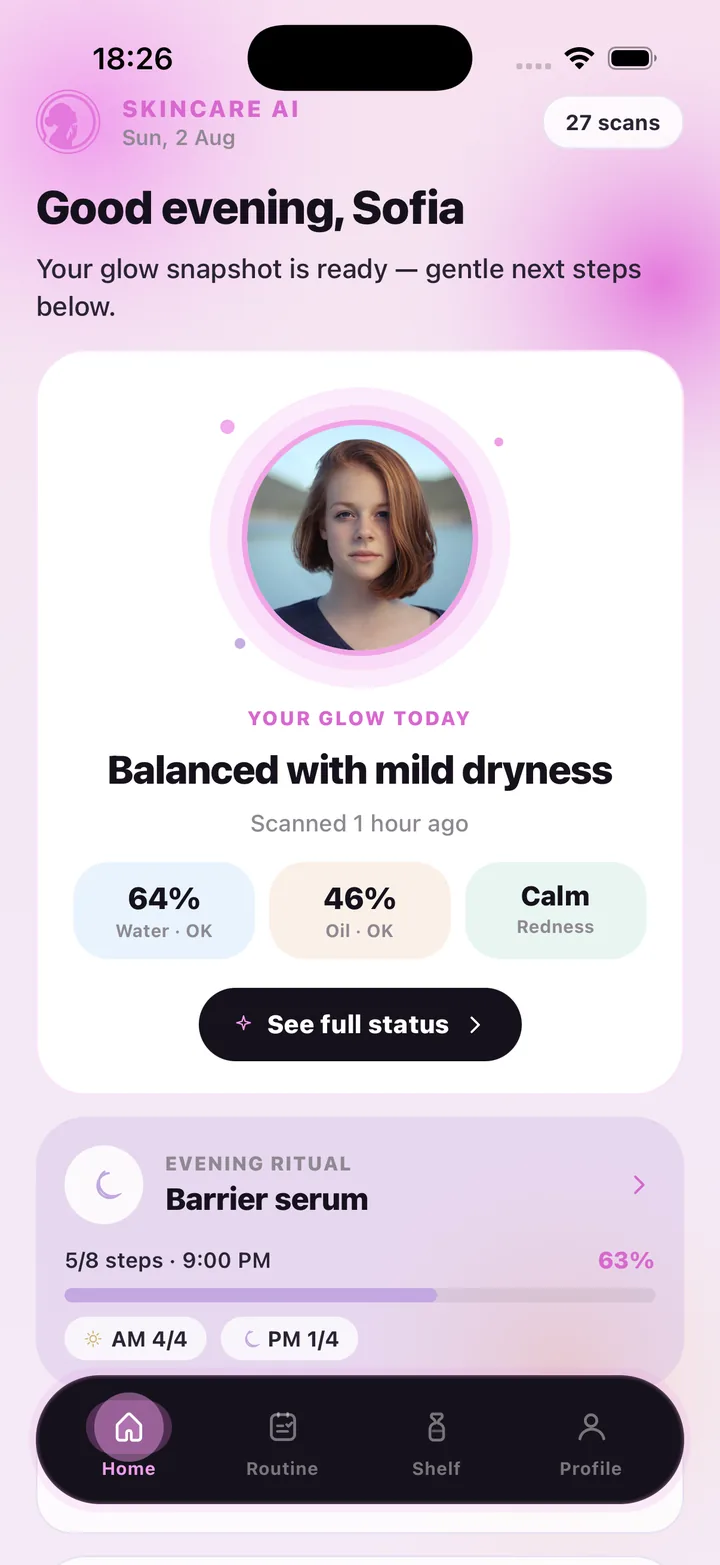
The gaps appear when you want feedback. A note does not know whether you did last night's steps. An alarm says "9 PM", not "barrier serum next, 5 of 8 done today". Nothing tells you what is in the products on the list, whether a jar is past its period after opening, or whether your skin has looked drier this month than last. You end up keeping the routine in one place, the products in your memory and the progress nowhere.
- No check-offs, so no record of what you actually did
- Alarms carry a time, not the next step
- Ingredients and period-after-opening live on the packaging, not in the note
- No way to see how your skin looks over time
- No connection between how your skin looks and what you plan tonight
What SkinCare AI adds
It keeps the parts you liked — a simple list and two reminder times — and closes the gaps. The routine is a checklist with a done count; reminders open on the next step; the shelf holds each product's ingredients and PAO days, pulled from a scan of the packaging; and a face scan gives water, oil and redness readings that are saved so progress becomes visible.
Every reading is general skincare wellness guidance, not a medical diagnosis. SkinCare AI does not identify, treat or prevent any condition; if something on your skin worries you, see a dermatologist.
- AM/PM checklists with a progress bar and day streak
- Local reminders at your times that open onto today's plan
- Shelf with ingredients and PAO days from a packaging scan
- Face scan: hydration, oil, redness, label and notes, saved as history
- Product suggestions matched to your latest scan
Which one should you use?
Stay with notes and alarms if your routine is fixed and you do not want feedback. Choose SkinCare AI if you want to see whether you are actually consistent, know what is on your shelf, and watch how your skin looks change over weeks. The honest trade-off is cost: SkinCare AI requires a subscription for its AI scans — Weekly $4.99 with 7 scans, Monthly $9.99 with 30, Monthly Pro $29.99 with 100 — while your notes app is free.
Frequently asked questions
Can I import my routine from a notes app?
There is no import; you add your morning and evening steps in the Routine tab, which takes a couple of minutes.
Do I have to scan my face to use the routine and reminders?
No. The routine, reminders and shelf work on their own. The face scan is what adds readings, notes and progress over time.
Does SkinCare AI replace seeing a dermatologist?
No. It offers general wellness guidance only and does not diagnose or treat anything. Consult a dermatologist for any skin concern.
SkinCare AI provides general skincare wellness guidance only. Skin scan results are not a medical diagnosis and the app does not treat or prevent any condition. If you have a skin concern, consult a dermatologist or another qualified professional.