
What you see after a face scan
My Skin Status is one screen. At the top: your selfie, a skin condition label in plain words and a small chip with the single most useful action, like "Lock in moisture tonight". Below: a Skin Balance panel with two dials — Water Level and Oil Balance — and a Redness / Irritation bar from low to high.
Then three short lines explain what the AI noticed and what to do about it, in ordinary language. No jargon, no long report. The whole thing is written to be read while your coffee brews.
Why the app keeps it simple
Skincare is easier to keep up when the feedback is small and specific. A dozen metrics would look impressive and change nothing. Three readings and one next step are enough to decide whether tonight is a humectant night or a rest night — and to notice, a few weeks later, that the water number is trending up.
- Water level and oil balance as percentages, each with a normal range
- Redness and irritation on a low – moderate – high scale
- One condition label and one suggested action
- Two or three plain notes on what the AI saw
- "AI analysis · Scanned 1 hour ago" so you always know how fresh the reading is
Not a diagnosis, by design
Every reading is general skincare wellness guidance, not a medical diagnosis. SkinCare AI does not identify, treat or prevent any condition; if something on your skin worries you, see a dermatologist.
The guidance in the app is backed by public health and dermatology sources — MedlinePlus/NIH, NIAMS, NHS, WHO, FDA and the American Academy of Dermatology — listed in Settings → Sources & references and under each result, so you can read where a tip comes from.
From status to routine, on the same home screen
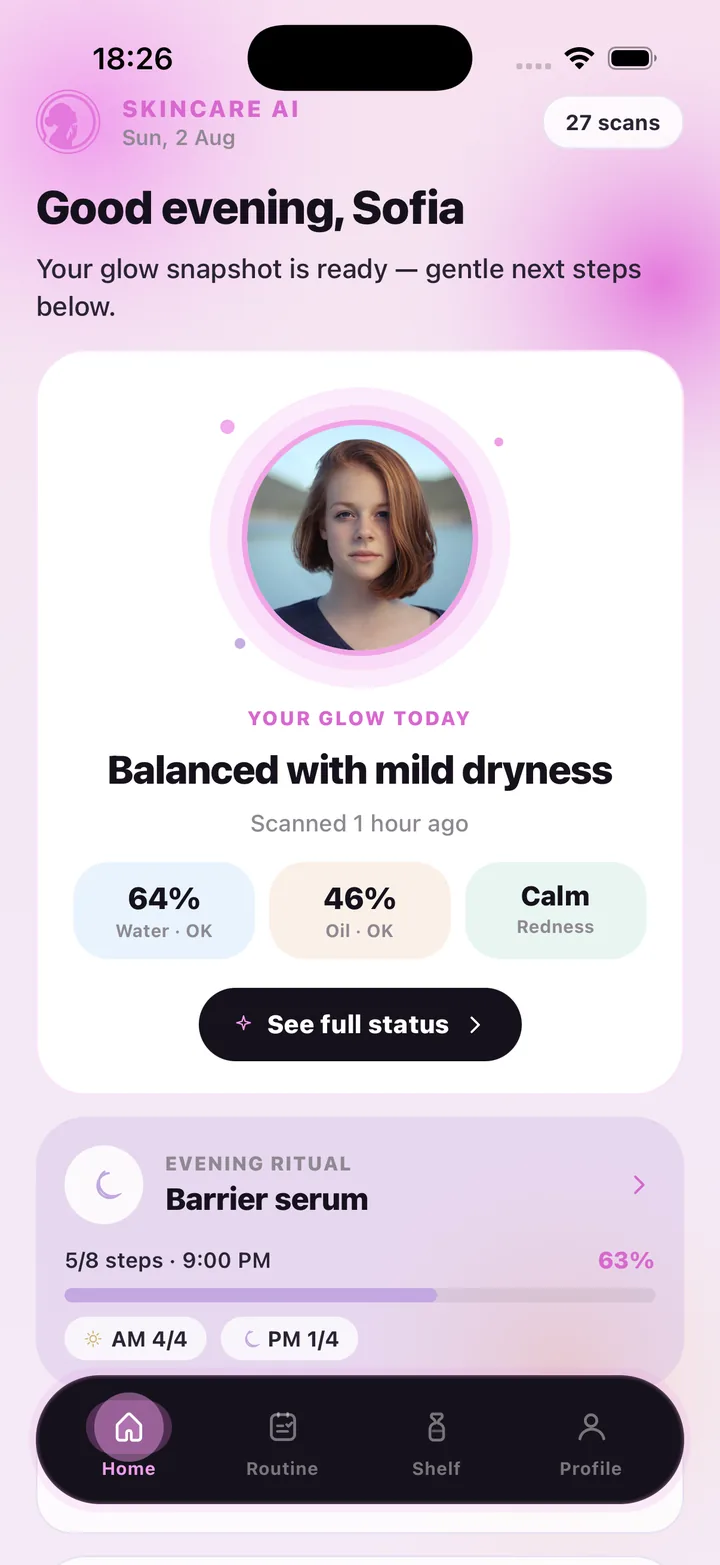
The home screen shows "Your glow today" — the label and three readings — directly above your next routine step and how many AM and PM steps are done. Tap through to the full status or straight into the evening checklist. Your face analysis and your habit live in the same place, which is what makes the analysis useful.
Frequently asked questions
Does the face analysis work with any phone camera?
It uses the standard front camera or a photo from your library; no accessory is needed. Soft daylight gives the most consistent readings.
Is my face used for recognition or identity?
No. The app never creates a faceprint or face template and never uses a photo to identify anyone. The selfie is only used to produce the readings and is kept so you can revisit the result.
How often should I scan?
Many people scan weekly or every couple of weeks in similar light. Weekly plans include 7 scans, Monthly 30 and Monthly Pro 100, so a routine of one or two scans a week fits easily.
Can I delete a scan?
Yes. Settings → AI & photo data → Delete my scan photos removes every scan photo from our database and storage immediately. Deleting your account removes everything.
SkinCare AI provides general skincare wellness guidance only. Skin scan results are not a medical diagnosis and the app does not treat or prevent any condition. If you have a skin concern, consult a dermatologist or another qualified professional.